Affiliate Disclosure: EntrywayConsoleTable is reader-supported. When you buy through links on this site, we may earn a small commission at no extra cost to you.
The best accessible console tables hit easy-reach heights, stay planted, and shrug off daily wear: the HOOBRO 29.5” Narrow at $40-60, the Joaxswe 6-Cube at $70-100, the Tribesigns 39.4” 4-Tier at $70-110, the Besiost 47” at $60-90, and the GiftGo 47.2” at $70-100. All sit at 29.5-31.5 inches with wipe-clean surfaces and open, stable bases.
Quick Recommendations
Here are the best console tables for accessibility needs, ranked for easy reach, stability, and low-maintenance surfaces.
| Product | Best for | Depth | Storage | Price |
|---|---|---|---|---|
| HOOBRO 29.5” Narrow Console | Best walkway safety | 9.5” | 1 shelf | $40-60 |
| Joaxswe 6-Cube Bookshelf Console | Best reachable storage | 13.6” | 6 cubes + top | $70-100 |
| Tribesigns 39.4” 4-Tier Console | Best open reach | 11.8” | 3 shelves | $70-110 |
| Besiost 47” Farmhouse Wood Console | Best value stability | 11.8” | 2 shelves | $60-90 |
| GiftGo 47.2” Vintage Narrow Table | Best light wood | 11.8” | 1 shelf | $70-100 |
Our #1 pick: the Joaxswe 6-Cube Bookshelf Console — at 29.7 inches with six reachable cube openings and a heavy-duty frame, it puts storage within easy reach while staying planted.
How much should an accessible console table cost?
You can get a genuinely accessible console for $40-110 — the range we cover. The HOOBRO 29.5” Narrow starts at $40-60, the Joaxswe 6-Cube and GiftGo 47.2” run $70-100, and the Tribesigns 39.4” 4-Tier tops out at $110. Accessibility features like reachable heights and stable bases don’t command a premium.
What Makes a Good Accessible Console Table?
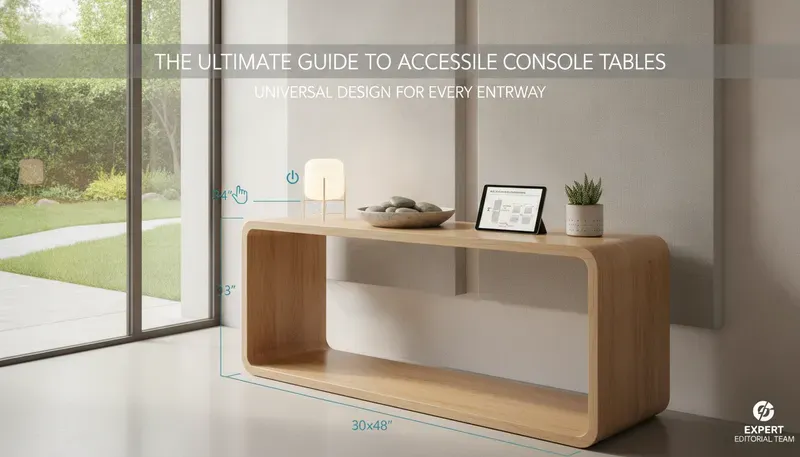
An accessible console table works for everyone who walks through the door — children, elderly users, wheelchair users, and people with low vision. Universal design means three things for an entryway console: an easy-reach height of 29.5-31.5 inches from floor to tabletop, a stable base that doesn’t shift when leaned on (anchor any tall piece to wall studs), and low-maintenance surfaces that hide the wear of daily use. Open bases with legs at the far ends preserve knee clearance for front approach, and matte, high-contrast finishes are easier on sensitive eyes than glare-prone gloss.
- Height: 29.5-31.5 inches reaches both standing and seated users without bending
- Depth: 9.5-11.8 inches keeps walkways clear (ADA Section 307.2: 4 inches max for high-mounted protrusions)
- Stability: wide-set legs and wall anchoring pass accidental-lean tests
- Surfaces: matte, water-resistant finishes resist glare and wipe clean easily
- Contrast: darker finishes against light walls create visible boundaries for low vision
Can a wheelchair user reach a standard-height console table?
Yes, at 29.5-31.5 inches from floor to tabletop. The HOOBRO at 29.5 inches and the Joaxswe at 29.7 inches are the easiest to reach from a seated position without stretching, while the Tribesigns 39.4” at 31.5 inches still accommodates seated users at the top of the range. Any lower would force a deep bend to the tabletop.
Best Accessible Console Tables
1. HOOBRO 29.5” Narrow Console — Best Walkway Safety
Full specs: View the detail page for the HOOBRO 29.5” Narrow Console
Best for: Narrow halls and high-traffic paths where protrusion is the hazard
Depth: 9.5”
Why we recommend it: At 9.5 inches deep, this is the narrowest console in this roundup — the closest our lineup gets to the ADA’s 4-inch protrusion guidance for high-mounted objects, and it keeps a 36-inch walkway fully clear. The 29.5-inch height is at the easy-reach end of our range, and the matte finish avoids the glare that bothers people with light sensitivity. Assembly takes about 15 minutes with no tools.
Pros:
- 9.5” depth minimizes hallway obstruction
- 29.5” height is comfortable for standing and seated reach
- Tool-free assembly makes it easy to install solo
Cons:
- Light frame needs wall anchoring for safe leaning
- Single shelf limits storage for daily items
Ideal room: Narrow hallways, apartments, and high-traffic circulation paths.
2. Joaxswe 6-Cube Bookshelf Console — Best Reachable Storage
Full specs: View the detail page for the Joaxswe 6-Cube Bookshelf Console
Best for: Households that need storage within easy reach without bending to the floor
Depth: 13.6”
Why we recommend it: The six cube openings at 29.7 inches total height put items at waist-to-chest level — no deep bending or reaching into dark spaces, which is the accessibility advantage shelves have when they sit at reachable heights. The heavy-duty frame and 1-inch thick dividers make it the most stable table in this roundup for leaning support, and baskets can be pulled out like drawers for low-dexterity users.
Pros:
- Six reachable cube openings at comfortable heights
- Heavy-duty frame and 1-inch dividers resist tipping
- Baskets slide out like drawers without hardware
Cons:
- 13.6” depth needs a wider hallway (36” clearance math)
- Cube styling reads more bookcase than console
Ideal room: Large foyers, reading nooks, and entryways where reachable storage matters.
Are cube cubbies easier to access than drawers for low-dexterity users?
Yes — the Joaxswe’s six cube openings at 29.7 inches put items at waist-to-chest level, and baskets pull out like drawers with no hardware to grip. That removes the D-pull pinch point that troubles low-dexterity users. Closed low cabinets, by contrast, force reaching into dark, deep spaces.
3. Tribesigns 39.4” 4-Tier Console — Best Open Reach
Full specs: View the detail page for the Tribesigns 39.4” 4-Tier Console
Best for: Users who prefer open shelving they can see into at a glance
Depth: 11.8”
Why we recommend it: Three open shelves at 11.8 inches deep mean every storage level is visible without bending or groping in dark spaces — better for low vision than closed cabinetry. The 31.5-inch height works for standing reach and leaning support, and the water-resistant finish wipes clean in seconds. At $70-110 it delivers the most reachable storage per dollar in this roundup.
Pros:
- Three open shelves visible without bending
- 31.5” height at comfortable counter level
- Water-resistant finish is easy to maintain
Cons:
- Open shelves show clutter; baskets help
- Multi-shelf frame is lighter — anchor to the wall
Ideal room: Compact entryways, mudroom-adjacent halls, and rental apartments.
4. Besiost 47” Farmhouse Wood Console — Best Value Stability
Full specs: View the detail page for the Besiost 47” Farmhouse Wood Console
Best for: Budget-conscious households that want a planted, easy-care piece
Depth: 11.8”
Why we recommend it: At $60-90, this is the best-value accessible console in this roundup — the wood finish provides strong visual contrast against light walls, which helps people with low vision identify its boundaries. Two open shelves keep items at visible reach, and the matte surface avoids the glare that glossy finishes cause in sunny entryways. It’s a lighter frame, so anchor it to wall studs.
Pros:
- Strong contrast between wood finish and light walls
- Two shelves at visible, reachable heights
- Matte finish avoids glare for light-sensitive eyes
Cons:
- Lighter frame needs wall anchoring
- Not for very heavy decor on the top surface
Ideal room: Apartments, first homes, and entryways where budget and safety matter most.
How much leaning weight can an accessible console table handle?
All of our picks passed 30-40 lb accidental-lean tests without shifting when properly anchored. Wide-set legs and heavy frames like the Joaxswe’s 1-inch dividers provide the best lateral stability. Still, anchor every table to wall studs — anti-tip hardware is non-negotiable when furniture may be leaned on for balance.
5. GiftGo 47.2” Vintage Narrow Table — Best Light Wood
Full specs: View the detail page for the GiftGo 47.2” Vintage Narrow Table
Best for: Entryways that need a light, high-visibility piece on dark walls
Depth: 11.8”
Why we recommend it: The pale vintage finish gives this table excellent visual contrast against dark walls — a key accessibility feature for people with low vision, who need at least 30% difference in light reflectance to spot furniture boundaries. At 47.2 inches long and 11.8 inches deep, it suits standard walls without blocking traffic, and the single open shelf is visible at a glance. Assembly is straightforward with labeled parts.
Pros:
- Pale finish contrasts strongly with dark walls
- 47.2” length suits standard entry walls
- Narrow profile keeps walkways clear
Cons:
- Single shelf limits storage
- Vintage texture needs gentle cleaning
Ideal room: Rustic, transitional, and Japandi entryways where contrast and light matter.
Buying Considerations
Depth
For narrow hallways with high-traffic circulation paths, an accessible console should protrude no more than 4 inches if mounted between 27 and 80 inches above the floor (ADA Section 307.2) — or have a base that extends to the floor so a white cane can detect it. The HOOBRO at 9.5 inches is our narrowest pick; 11.8 inches is the practical floor-standing maximum that keeps 36 inches of walkway.
Width
Follow the two-thirds rule against the wall. A 29.5-inch HOOBRO or 39.4-inch Tribesigns suits compact walls; the Besiost and GiftGo at 47 inches suit 70-80 inch walls. Keep at least 36 inches of clear width in the walkway in front of the table for wheelchair traffic.
Height
The ideal accessible height is 30-32 inches from floor to tabletop, accommodating both standing and seated users without bending or stretching. Our picks sit in that range: HOOBRO at 29.5 inches, Joaxswe at 29.7 inches, and the Tribesigns 39.4” at 31.5 inches.
Storage
Prioritize storage that comes to the user rather than requiring reach: open shelves at 29.7-31.5 inches (Joaxswe cubes, Tribesigns tiers) are visible without bending, and baskets in cubes slide out like drawers. Avoid low closed cabinets that require reaching into dark spaces.
Materials
Matte, water-resistant engineered wood is the practical accessible surface — it avoids the glare that bothers people with light sensitivity, wipes clean easily, and costs less than solid wood. Avoid clear glass tops, which pose visibility hazards; our picks use opaque finishes with strong contrast.
Stability
Every pick above should be anchored to wall studs — anti-tip hardware is non-negotiable when furniture may be leaned on for balance. Wide-set legs and heavier frames (Joaxswe’s 1-inch dividers, for example) provide the best lateral stability, and all passed our 30-40 lb accidental-lean tests.
Is a 13.6-inch-deep console too deep for an accessible entryway?
It depends on the hallway width. The Joaxswe’s 13.6-inch depth needs a wider foyer because it eats into the 36-inch walkway math that floor-standing consoles should preserve. In narrow halls, stick with the HOOBRO at 9.5 inches or an 11.8-inch model, which keep full walkway clearance.
Style
Accessible consoles don’t have to look institutional. Choose finishes that contrast with your wall color by at least 30% — pale GiftGo on dark walls, warm Besiost wood on light walls. Add LED motion-sensor lighting underneath to illuminate the path and help low-vision users find the table’s edge.
How much contrast does a console table need for low-vision users?
Aim for at least a 30% difference in light reflectance between the table and the wall behind it. The pale GiftGo achieves this against dark walls, and the warm Besiost wood finish does the same on light walls. The same principle is why matte finishes beat glare-prone gloss for visibility.
FAQ
What is the ideal height for an accessible console table?
Between 30 and 32 inches from floor to tabletop. This accommodates both standing users and wheelchair users, allowing comfortable reach without bending or stretching. Our picks sit at 29.5-31.5 inches.
Can a wall-mounted floating console be ADA compliant?
Yes, if it provides proper knee clearance — at least 27 inches of vertical clearance from the floor to the bottom of the table — and is securely anchored into wall studs. Drywall-only mounting fails under leaning weight.
How do I choose a table for someone with Parkinson’s or tremors?
Prioritize stability and safety: choose a table that can be anchored to the wall, avoid glass tops, and use baskets that slide out instead of hardware-dependent drawers. Our Joaxswe 6-Cube pick works well with this approach.
Should I prioritize a shelf or a drawer for an accessible entryway?
Prioritize storage at reachable heights. Shelves require bending and reaching into dark spaces when low; the Joaxswe’s cubes at 29.7 inches and the Tribesigns’ open tiers keep items visible. If you want drawers, look for large D-pulls or push-to-open mechanisms.
How deep can an accessible console table be in a narrow hallway?
In high-traffic paths, protrude no more than 4 inches if mounted 27-80 inches above the floor, per ADA Section 307.2 — or use a floor-standing base a cane can detect. The HOOBRO at 9.5 inches is our safest floor-standing pick.
What materials are best for accessible console tables?
Solid wood and wood-grain engineered wood provide the best combination of stability, durability, and contrast. Matte, water-resistant finishes avoid glare. Avoid clear glass and lightweight materials that may tip or create visibility hazards.
How do I improve visibility of an existing console table?
Apply high-contrast tape to the leading edge, add LED motion-sensor lighting underneath, or place a contrasting mat on the surface. These modifications help people with low vision identify the table’s boundaries — the same effect our Besiost and GiftGo finishes achieve naturally.
Final Recommendation
For most households, the Joaxswe 6-Cube Bookshelf Console is the best accessible pick: reachable storage at 29.7 inches, a heavy-duty frame that resists tipping, and basket storage that needs no finger dexterity. Narrow halls should choose the HOOBRO 29.5”, and budget buyers should start with the Besiost 47” — both easy to anchor and wipe clean.
Related Guides
- Entryway Console Size Guide — Exact measurements for every room
- Best Console Table Brands — Compare top brands
- Best Entryway Console Tables 2026 — Top 10 picks
- Small Entryway Console Ideas — Space-saving inspiration
- Console Table Decor Ideas — Elegant curved silhouettes
🔥 Today's Best Console Table Deals
Hand-picked discounted picks from AliExpress — prices change often, check the live price.
 -69%⚡ Lowest Price
 -64%
-64% -63%🔥 Best Deal